Compare Candidates
Once you have sorted and filtered your candidates by Talent Signal, Assessment Scores, or Traits, use the Compare Candidates feature to view your shortlisted candidates side by side in one screen. You can compare up to 10 candidates at a time, making it easier to evaluate and make a faster, fairer and more confident hiring decision.
Steps to compare candidates
- Select your candidates: check the boxes next to the candidate names you want to compare (up to 10).
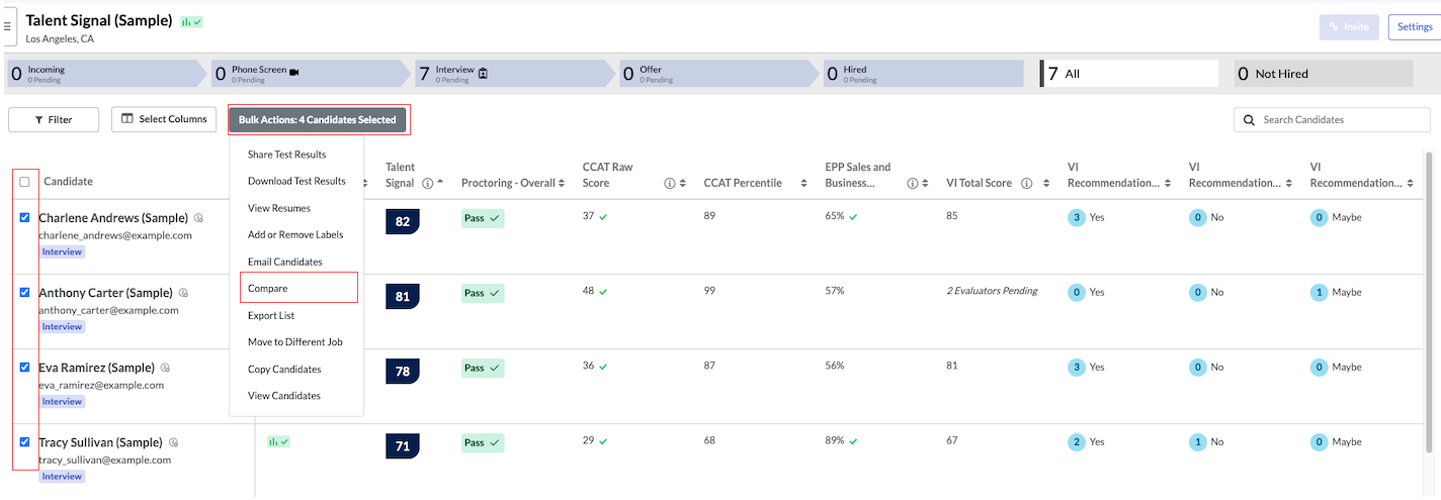
- Click Bulk Actions, located in the toolbar above the candidate list.
- Click Compare. The comparison view will open automatically.
- Review candidates side by side: All selected candidates will appear in columns for easy evaluation and hiring decision.
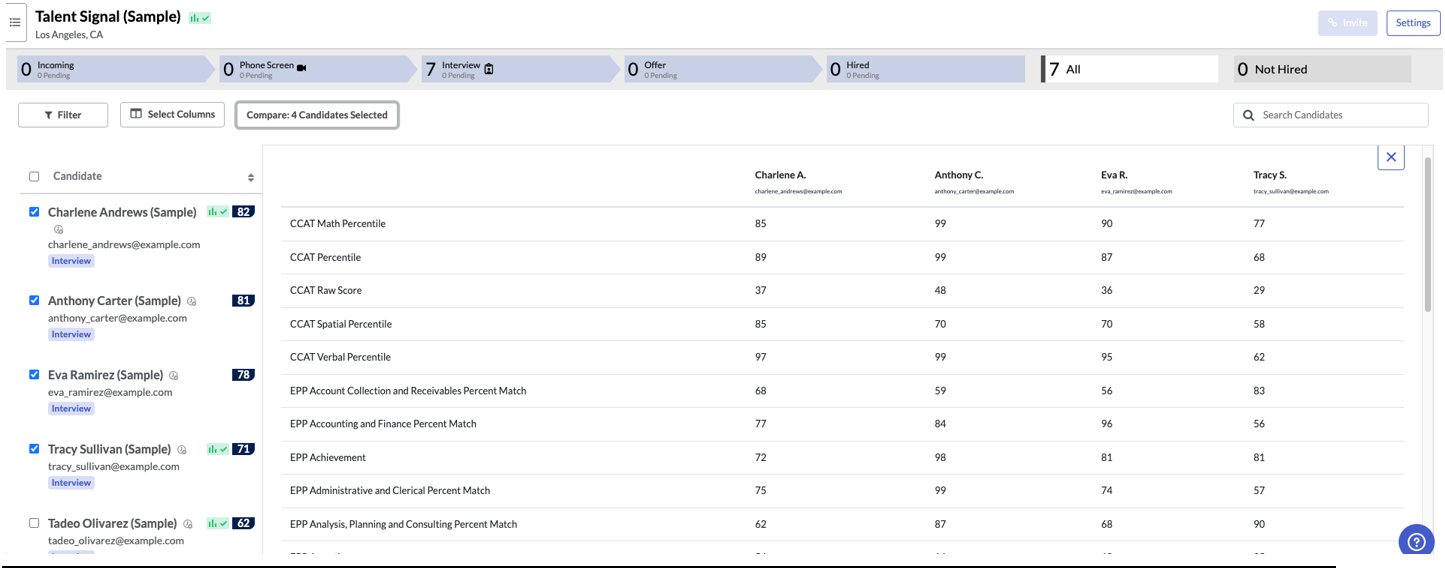
Only candidates' assessment data will be included in the comparison table. If your candidate has completed an interview, these results will need to be reviewed separately. Download the Interview Data Report to view a spreadsheet of these results.
