Supporting Candidates: Candidate Locked Out
 Updated
by
Amy Thomas
Updated
by
Amy Thomas
We take a comprehensive, multi-layered approach to assessment security. One of the methods we use is to temporarily lock candidates out of their assessment task if they leave the assessment screen too many times. There are many reasons why a candidate may leave the assessment screen, for example: internet connectivity issues, refreshing the page or navigating back in the browser, clicking another app (e.g. calculator).
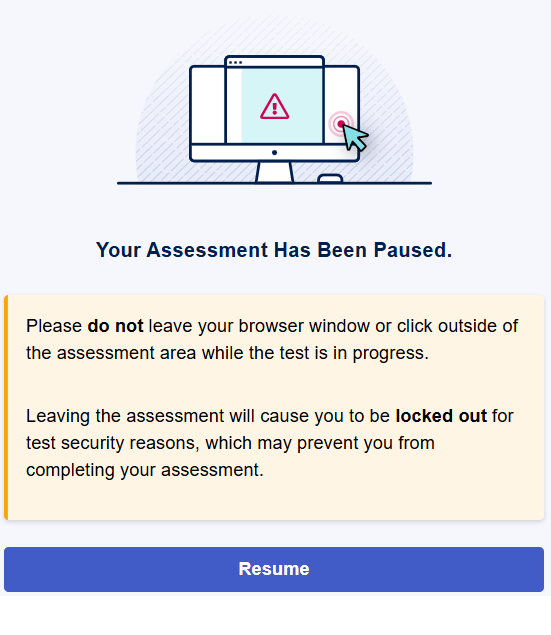
If a candidate clicks away from the assessment page, they are presented with a warning message. When they click Resume they will be returned to the same point they were at when they left the assessment page.
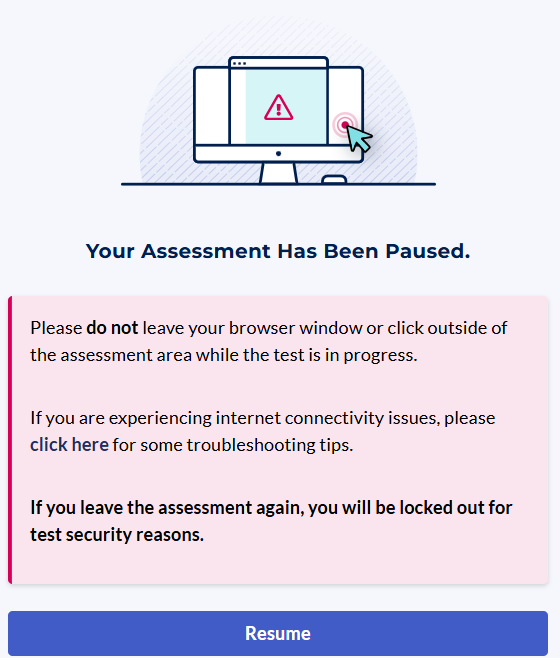
If they keep leaving the assessment screen, the warning message will change. In case the candidate is experiencing internet issues, we provide some troubleshooting tips to help them resolve this.
If the candidate keeps leaving the assessment screen, they will be temporarily locked out.
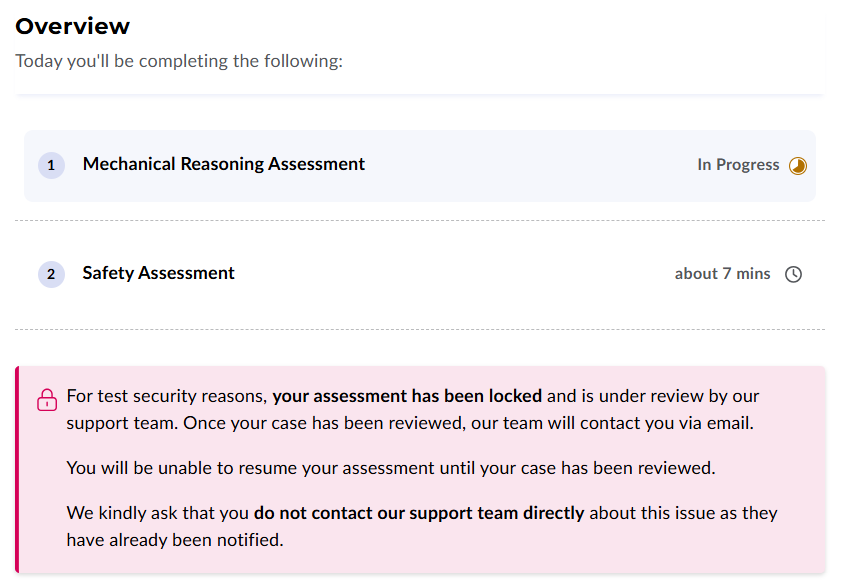
They will not need to contact our Support team for assistance with unlocking this. We will already be aware of the lockout and release this for them.
If your candidate contacts you to report that they have been locked out, please let them know that they will receive an email from Criteria once the lockout has been lifted, so they can continue the assessment. We have dedicated resources that will, in most cases, release a candidate's locked assessment within 2 hours, in most cases.
Error messages presented to candidates:
- Your Assessment Has Been Paused. Please do not leave your browser window or click outside of the assessment area while the test is in progress. Leaving the assessment will cause you to be locked out for test security reasons, which may prevent you from completing your assessment.
- Your Assessment Has Been Paused. Please do not leave your browser window or click outside of the assessment area while the test is in progress. If you are experiencing internet connectivity issues, please click here for some troubleshooting tips. If you leave the assessment again, you will be locked out for test security reasons.
- For test security reasons, your assessment has been locked and is under review by our support team. Once your case has been reviewed, our team will contact you via email. You will be unable to resume your assessment until your case has been reviewed. We kindly ask that you do not contact our support team directly about this issue as they have already been notified.
Communicating with candidates
Here is an email template you can send to candidates who report being locked out of the assessment.
Subject: RE: Assessment Access Temporarily Locked
Hi [Candidate first name],
Thanks for getting in touch. If you have left the assessment screen a number of times, this can result in your invitation being temporarily locked out for security reasons.
Please be assured that Criteria (our assessment provider) can confirm and remove any lockout. You don’t need to contact Criteria separately - they will already be aware that you have been locked out and are working to restore your access.
Criteria will email you to confirm once your access has been restored and you’re able to continue. You should receive this within 2 hours of being locked out.
To help prevent this from happening again once you’re back in:
- Please ensure your internet connection is strong and stable before you resume (ideally reliable Wi‑Fi or a wired connection).
- Please stay on the assessment screen and avoid clicking away (for example, switching to another tab, webpage, app, or window).
Best regards,
[Sender signature]
