Supporting Candidates: Expired Invitations and Extension Requests
 Updated
by
Amy Thomas
Updated
by
Amy Thomas
If you have set an expiration date for your candidates' invitations, they will automatically receive a reminder email 24 hours before the invitation expires. You may also have chosen to set an additional reminder email to be sent to them.
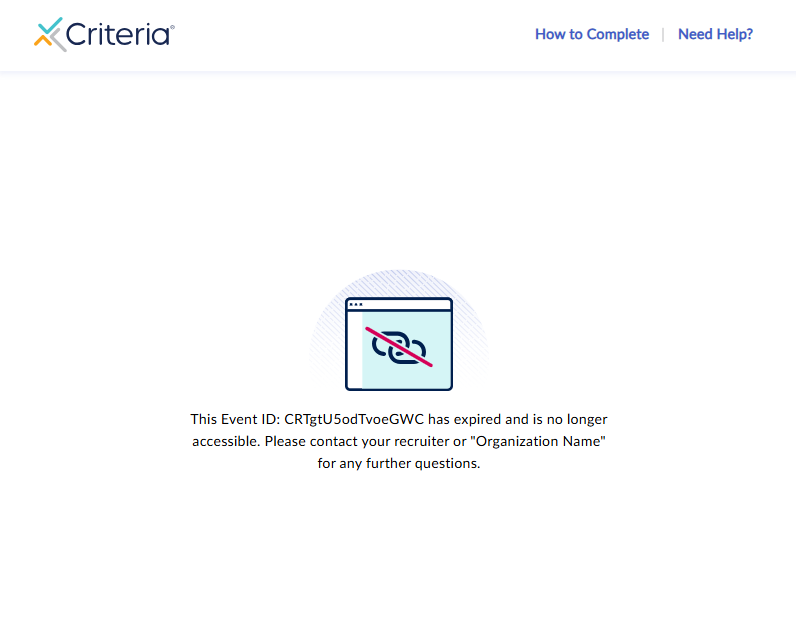
Once the invitation has expired, if the candidate attempts to access the link, they will see a message informing them that the invitation has expired and to contact the recruiter or your organization for further assistance. (Error message: This Event ID XXXXxxxxXXXXxxxx has expired and is no longer accessible. please contact your recruiter or <organization name> for any further questions.)
Criteria Support are not able to extend a candidate's invitation for them. When candidates ask Criteria for an extension, we will advise them to reach out to your organization to request this.
When a candidate sends you a request for an assessment extension, this will be at your discretion to grant. You can extend the candidate's invitation if this aligns with your recruitment workflow and time frames.
Communicating with candidates
The Criteria platform provides some default email templates for invitations and reminders, however here are some suggestions specifically related to extension requests.
No extension can be provided
Hi [Candidate first name],
Thank you for your email. Unfortunately, we’re unable to extend your assessment invitation now that it has expired. This is due to [insert reason here - e.g., the role has progressed to the next stage / the vacancy has closed / the assessment window is fixed for fairness and consistency].
We appreciate your interest in [Company name] and the time you’ve taken to apply. If you have any other questions about your application, please let us know.
Best regards,
[Sender signature]
Invitation extended
Hi [Candidate first name],
Thank you for getting in touch. We’ve extended your assessment invitation, and you can now complete your assessments until:
New deadline: [X date] at [X time] [Time zone]
You can access the assessments using your original link/invitation or using the link below:
[Insert link]
Optional (include if needed): Please note this is the final extension available, and we won’t be able to offer any further extensions after this deadline.
If you experience any technical issues while completing the assessments, please contact Criteria Support using the icon in the bottom right of the assessment centre.
Best regards,
[Sender signature]
