Supporting Candidates: Accessing the Assessment Task
 Updated
by
Amy Thomas
Updated
by
Amy Thomas
Candidates may ask you how they can access the tasks you have invited them to complete. This may depend on how your Criteria account is set up.
- Invited in Criteria Platform: If you invite your candidates directly in your Criteria account, they will need to go to https://ondemandassessment.com/e/ and enter their Event ID*. You may choose to send your candidates their direct access link. This can be found by clicking ... in the Pending Events tab of the candidate card and selecting Copy Candidate Link.
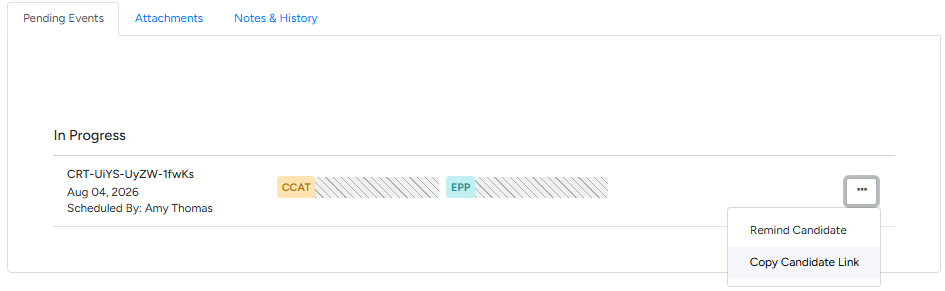
- Integration with anther ATS provider: If your Criteria account is integrated with another ATS provider, we recommend advising candidates to follow the instructions in their invitation email or on the application form screen (depending on whether you are recruiter initiated or in-line assessment invitations).
- Event ID hidden: If your Criteria account is set to not provide candidates with their Event ID*, your candidates will need to follow the instructions in their invitation email or on the application form screen (depending on whether you are recruiter initiated or in-line assessment invitations).
*The Event ID is the unique identifier for that invitation. It links the candidate with the assessment tasks to complete for a specific job.
Invalid links
Candidates will receive a validity warning message if their invitation cannot be accessed. There are two main reasons this message may be presented.
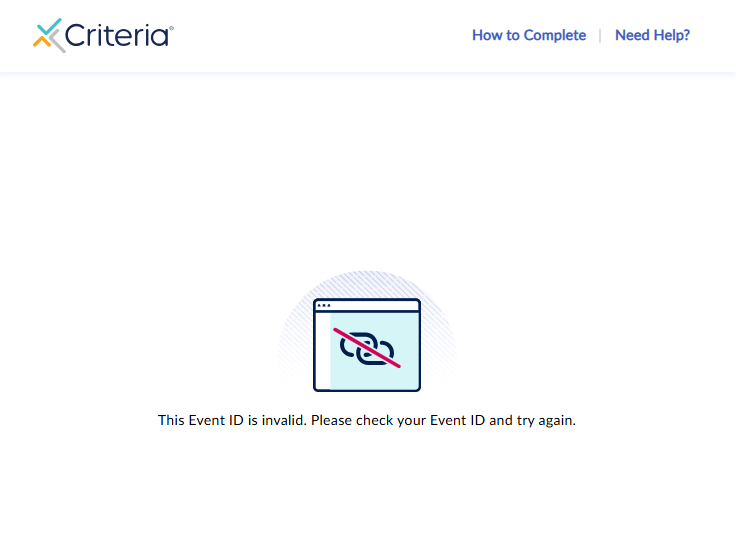
- The invitation has been deleted: If you have deleted an invitation in your Criteria account, the candidate will see a message stating that their Event ID is invalid. To resolve this, create another invitation for the candidate and send them the invitation email. (Error message: This Event ID is invalid. Please check your Event ID and try again.)
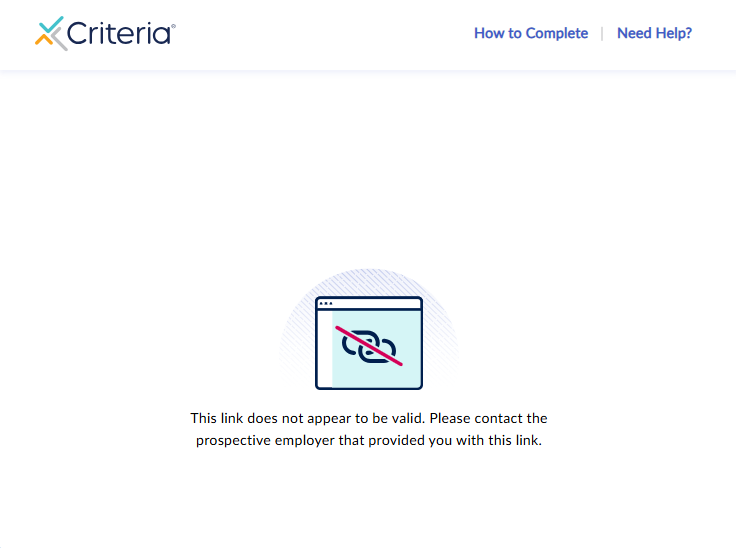
- The job is inactive: If you have deactivated a job in your Criteria account, the candidate will see a message stating that the link does not appear to be valid. If you reactivate the job, the candidate's original link will now work (unless the invitation has since expired). Alternatively, you can invite the candidate in an active job and send them the new invitation email. (Error message: This link does not appear to be valid. Please contact the prospective employer that provided you with this link.)
Communicating with candidates
How to access your assessment invitation
Subject: How to Access Your Assessments
Hi [Candidate first name],
Thanks for your application for [Job] at [Company name].
To access your assessments, please follow the instructions in your original invitation email.
If you can’t locate the invitation email, please check your junk/spam folder and search your inbox for “Criteria” or “assessment invitation”.
Alternate/add-on text: You can also access the assessments by going to: https://ondemandassessment.com/e/ and entering your Event ID (included in your invitation email).
Alternate/add-on text 2: You can access the assessments by continuing through the application process and following the on-screen prompts to begin the assessments.
Best regards,
[Sender signature]
"Invalid” error message
Hi [Candidate first name],
Thanks for reaching out to us.
The original link we sent you is no longer active. We're sorry for the inconvenience - we’re arranging a new invitation for you now.
You’ll receive a separate email shortly with your updated invitation details and a new link to access the assessments.
Best regards,
[Sender signature]
