Greenhouse Harvest v3 Upgrade
 Updated
by
Integrations Team
Updated
by
Integrations Team
Greenhouse has released Version 3 of their Harvest API and is deprecating access on their Version 1 Harvest API from 31 August 2026. Your Criteria Greenhouse Harvest is currently using v1 so you will need to make a quick update to migrate to v3 to maintain your integration.
The migration can be done from within your Criteria account and only takes a few minutes to action.
What is changing and why?
Greenhouse is retiring the v1 Harvest API and all users are required to upgrade to v3. This is a Greenhouse-driven decision, as is common practice when platforms phase out older versions in favor of newer ones.
The key change, as it relates to your Criteria integration, is improved security.
v1 used a static API key that you would generate and provide to Criteria. Because this key does not expire, it needs to be handled carefully - for example, Criteria recommends sharing it via a secure method rather than plain email or chat.
v3 uses OAuth 2.0, which is a modern, industry-standard authorization method. Rather than sharing a static key, the connection is established through a simple authorization wizard where secure tokens are exchanged automatically in the background. These tokens have a limited lifetime, meaning they expire and are regularly refreshed - significantly reducing any risk associated with credential management.
In short, v3 removes the need to manually handle sensitive API keys, making the integration both easier to set up and more secure by design.
The Criteria integration itself will remain completely unaffected by this change. It will continue to function exactly as it does today, with Criteria automatically updating the relevant custom field values in Greenhouse as candidates complete their assessments.
How do I upgrade to v3?
You can update your Greenhouse Harvest connection from Harvest API v1 to Harvest API v3 via your Criteria Account.
This process will need to be completed by a user who has a login to Greenhouse and a login to Criteria.
- In Greenhouse, the user must have the Site Admin permission
- In Criteria, the user must be an Admin user (or a user role with permission to the Integrations menu).
The following demo shows how to update your integration connection to using Harvest API v3 (open the demo in a new window).
Login to Criteria.
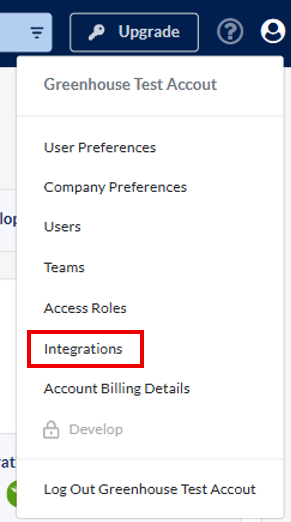
Navigate to the Integrations menu
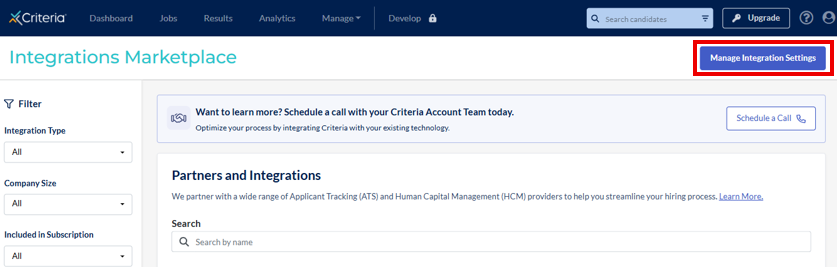
Then click Manage Integration Settings
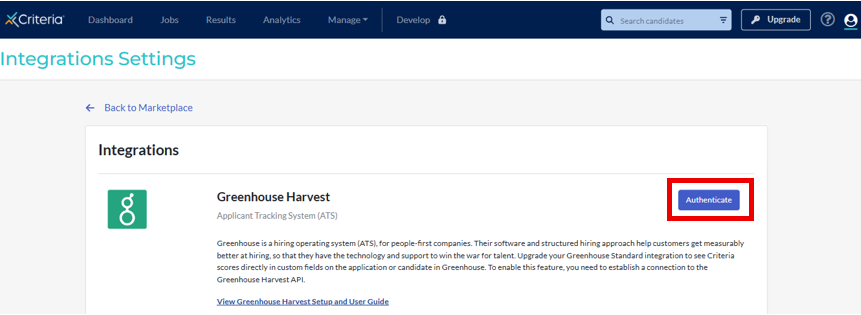
In the Greenhouse Harvest tile, click Authenticate
Enter your email address and click Log in to Greenhouse
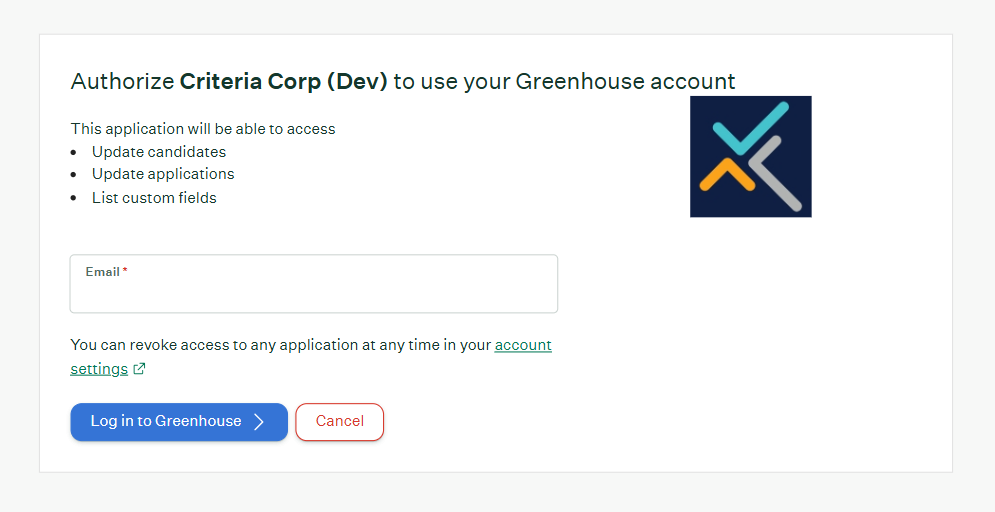
If you are not already logged into Greenhouse, you should login now using your Greenhouse credentials.
Tick the Authorize using a service account box and then click Authorize
If you do not see the Authorize using a service account check box, you likely do not have the Site Admin permission in Greenhouse. Please stop and ask a Greenhouse Site Admin user to complete this process.
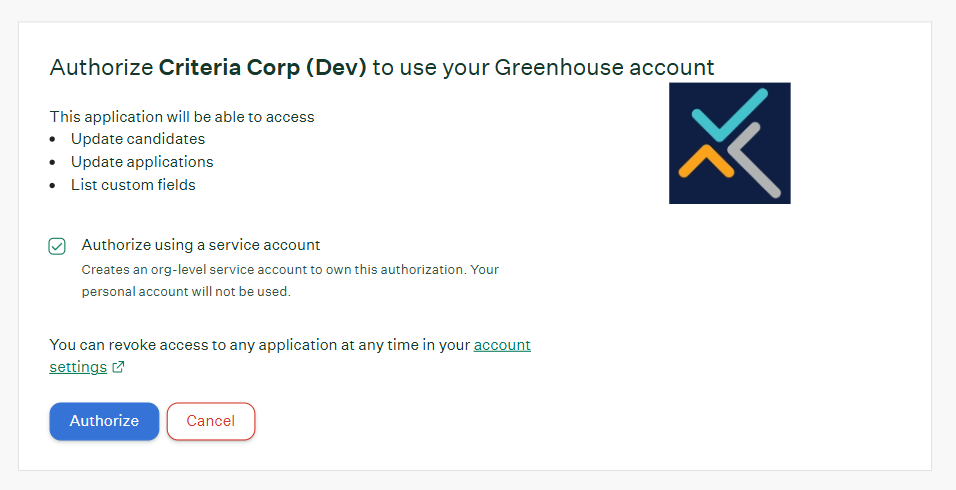
The migration to Harvest v3 is complete.
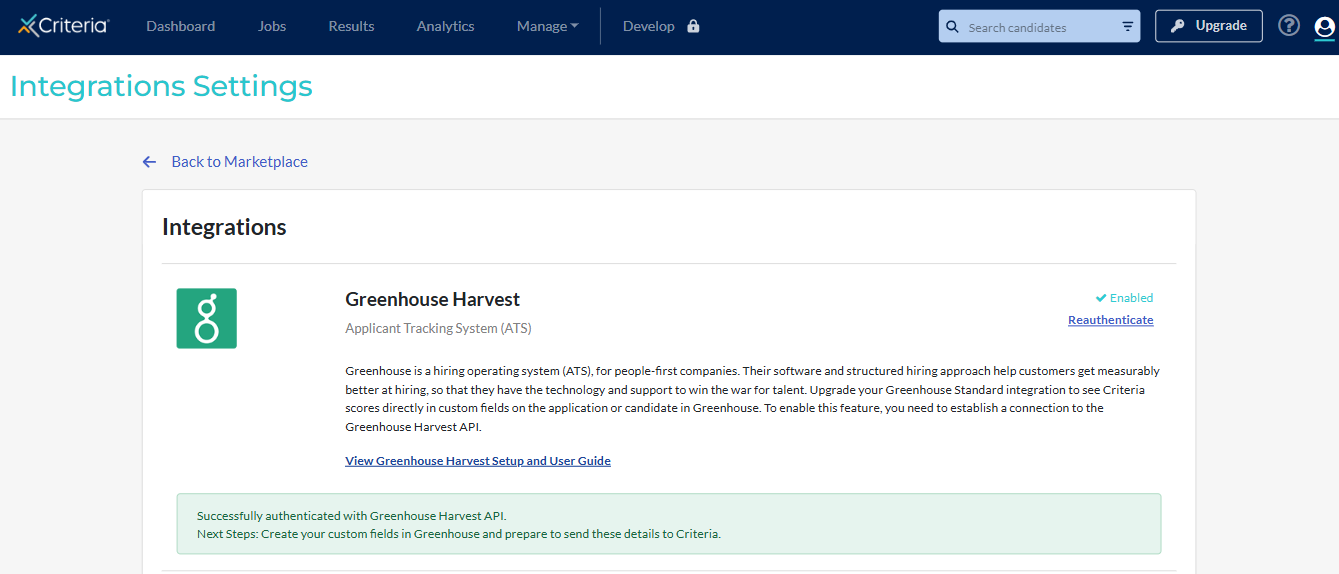
Updates made from now on from Criteria to your Greenhouse custom fields, will use the new v3 API. You can disable the v1/v2 API in Greenhouse when you are ready.
FAQ
Is there a deadline?
Yes, 31 August 2026.
Greenhouse are disabling access to their Harvest v1 API after 31 August 2026. If you have not updated your integration to v3 by this date you Criteria integration will stop working fully.
Do I need to do anything?
Yes, all customers on the Greenhouse Harvest integration must update their Harvest connection to v3 by 31 August to avoid disruptions to the integration.
Customers on the Greenhouse Standard integration do not need to take any action.
What integration am I on?
Greenhouse Standard integration - you just get Criteria results into the Interview Kit in Greenhouse.
Greenhouse Harvest integration - you get Criteria results into the Interview Kit in Greenhouse and some Criteria scores / statuses / report links are saved into the custom fields you created in Greenhouse.
If unsure, reach out to Criteria Support and we can advise what version you are currently on. However, if you received an email requesting you to upgrade, you are likely on Harvest.
Will there be any disruption to my integration?
No, if you upgrade before the deadline (31 August 2026) there will not be any disruptions to your integration, it will continue to work on Harvest API v1 until you make the upgrade to v3 and then it will seamlessly start using v3 from then on.
How do I know if this has been done already?
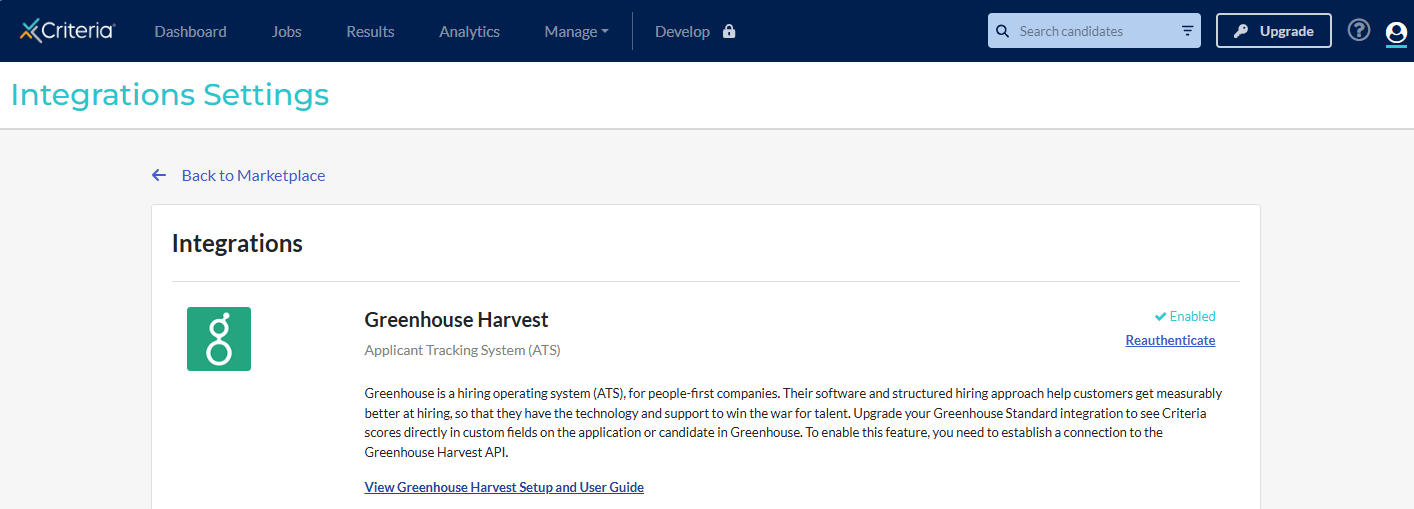
Go to the Integrations page in your Criteria account.
Look at the Greenhouse Harvest section.
If the button says Authenticate, that means that v3 is not yet connected. Click Authenticate and follow the prompts to update to v3 - refer above for step-by-step instructions.
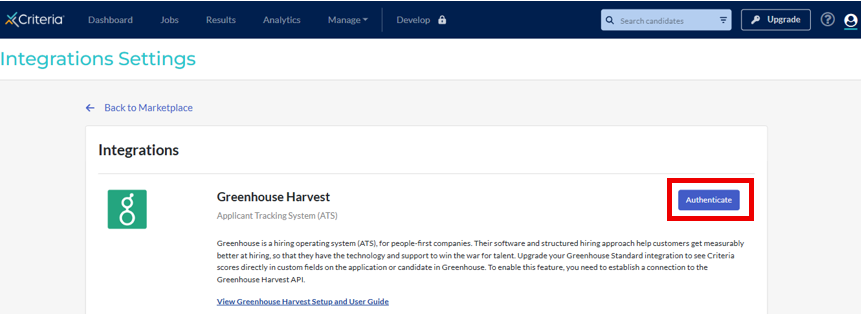
If the screen shows Enabled with a Reauthenticate link that means that your account has already been updated to v3. No further action is required.
Who needs to complete the upgrade?
The person completing the upgrade needs to have
- a login into Criteria with Admin access or a user role with permission to the Integrations menu
- a login to Greenhouse with Site Admin permission
What if I miss the deadline?
Not to worry, candidate results will still be flowing into the Interview Kit in Greenhouse but the updates to the custom fields in Greenhouse will have been failing since 31 August.
Please update your integration to v3 as soon as you can, and reach out to Criteria to see if the missed candidate results are able to be pushed through to Greenhouse.
How do I deactivate my v1 API key?
If you wish, you could disable the Harvest API v1 API key in your Greenhouse account so it cannot be used anymore.
In Greenhouse go to the Configure menu and choose Dev Center. Click on API Credentials.
Go to the Harvest v1/v2 tab.
Locate the entry in the list that relates to Criteria and has a Status showing as Active.
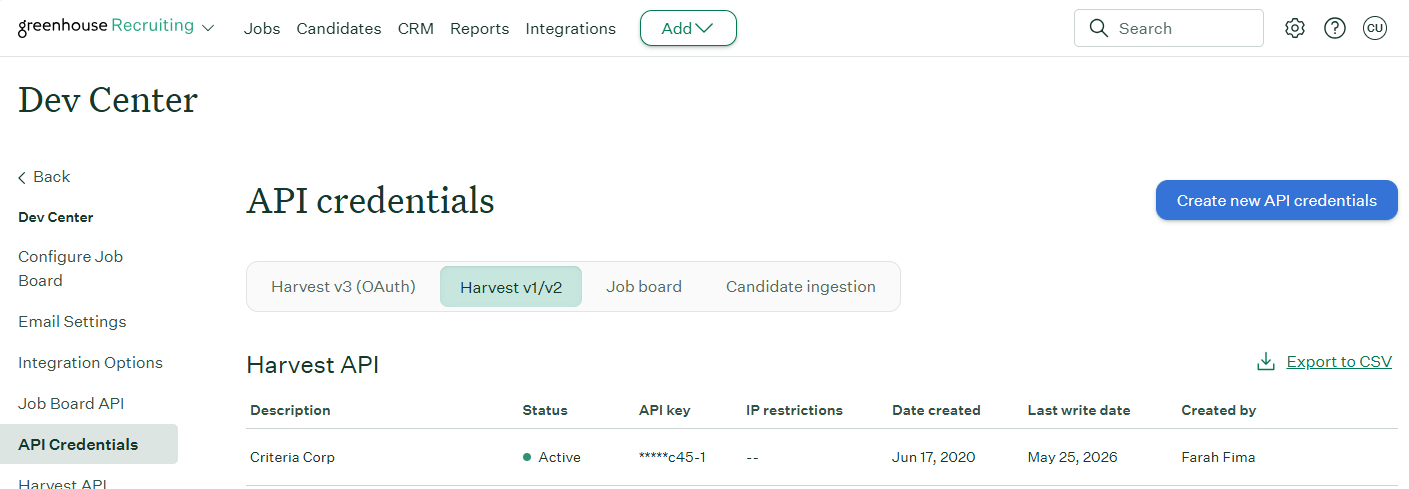
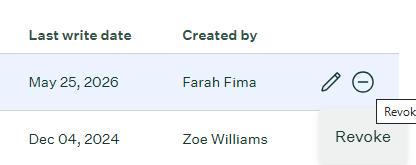
Click the Revoke icon (circle with a line through it) for that entry to disable the API key so Criteria cannot use it anymore.
Who do I contact if I need help?
Reach out to Criteria Support via online chat or techsupport@criteriacorp.com.
